
That old desktop in the basement or the retired office laptop on a shelf usually sits there for one reason. You know it shouldn't go in the garbage, but you also know there's still personal or business data on it.
That's where most computer disposal in Edmonton goes wrong. People focus on where to drop the machine off, not on what's still inside it. The plastic, metal, boards, cables, and batteries matter. But the first real risk is your data.
A safe disposal job has two parts. First, make the computer unreadable from a data standpoint. Second, send the hardware through the right local channel.
Why Proper Computer Disposal in Edmonton Matters
An unused computer isn't harmless just because it's powered off. Old drives can still hold saved passwords, browser history, tax files, accounting records, family photos, client documents, and email archives. Deleting a few folders or dragging files to the recycle bin doesn't solve that problem.
For households, that can mean identity and privacy exposure. For a business, it can mean customer information leaving the building on a machine everyone assumed was “empty”. I've seen plenty of people feel confident because they signed out of their Microsoft or Google account. That's not the same as sanitising the storage.
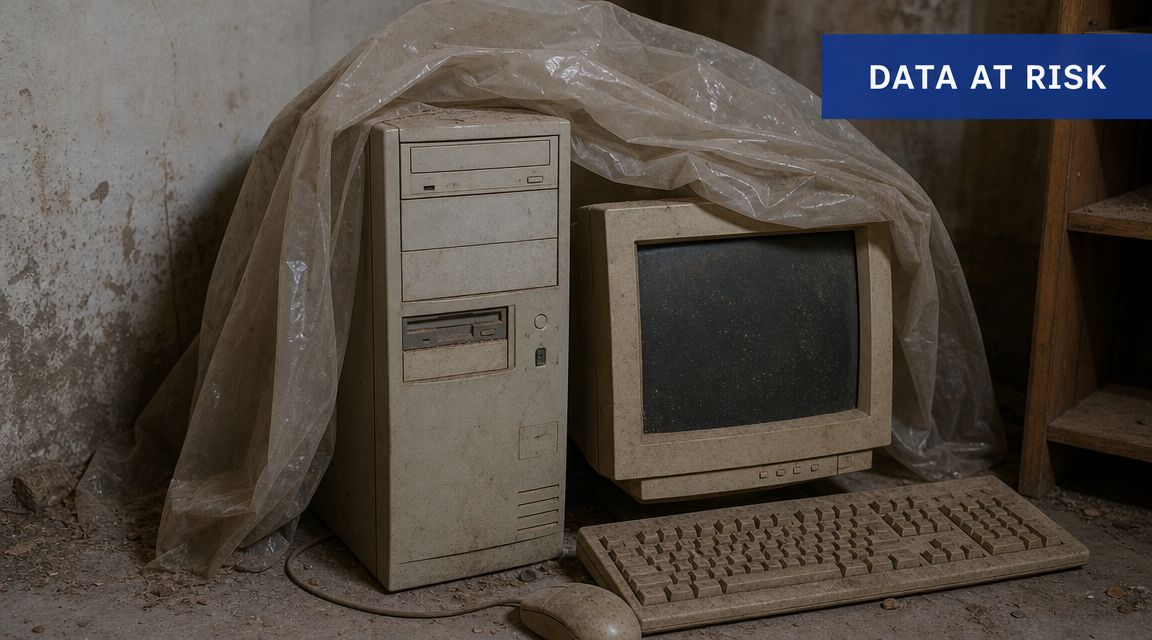
The second issue is environmental handling. Computers, monitors, printers, batteries, and related accessories don't belong in the regular waste stream. Edmonton already has a system for this, and people use it. Statistics Canada reported that in 2023, 14% of Canadian households had unwanted computers to dispose of, and 64% of those households took or sent them to a depot or drop-off centre, which shows official drop-off channels are the normal route for responsible disposal in Canada, not curbside trash or improvised dumping (Statistics Canada on household computer disposal and depot use).
The real mistake people make
Most bad disposal decisions come from rushing the job. Someone upgrades to a new laptop, copies a few documents over, then wants the old one gone that afternoon. That's when shortcuts happen.
Practical rule: If you wouldn't hand your unlocked computer to a stranger, don't dispose of it until the storage has been properly wiped or removed.
Why the local system matters
Edmonton residents aren't stuck guessing. There are established municipal and provincial channels for electronics. That's good news, but those channels don't replace your responsibility to secure the device first.
Think of it this way:
- The recycler handles materials like boards, metal, plastics, and components
- You handle privacy before the device leaves your control
- Businesses handle compliance by using the proper commercial stream
If you remember only one thing, remember this: the disposal location solves the hardware problem. It does not automatically solve the data problem.
The First Critical Step Preparing Your Device for Disposal
Before you load anything into the car, do a proper prep pass at your desk. This is the part people skip because it takes time. It's also the part that protects you.
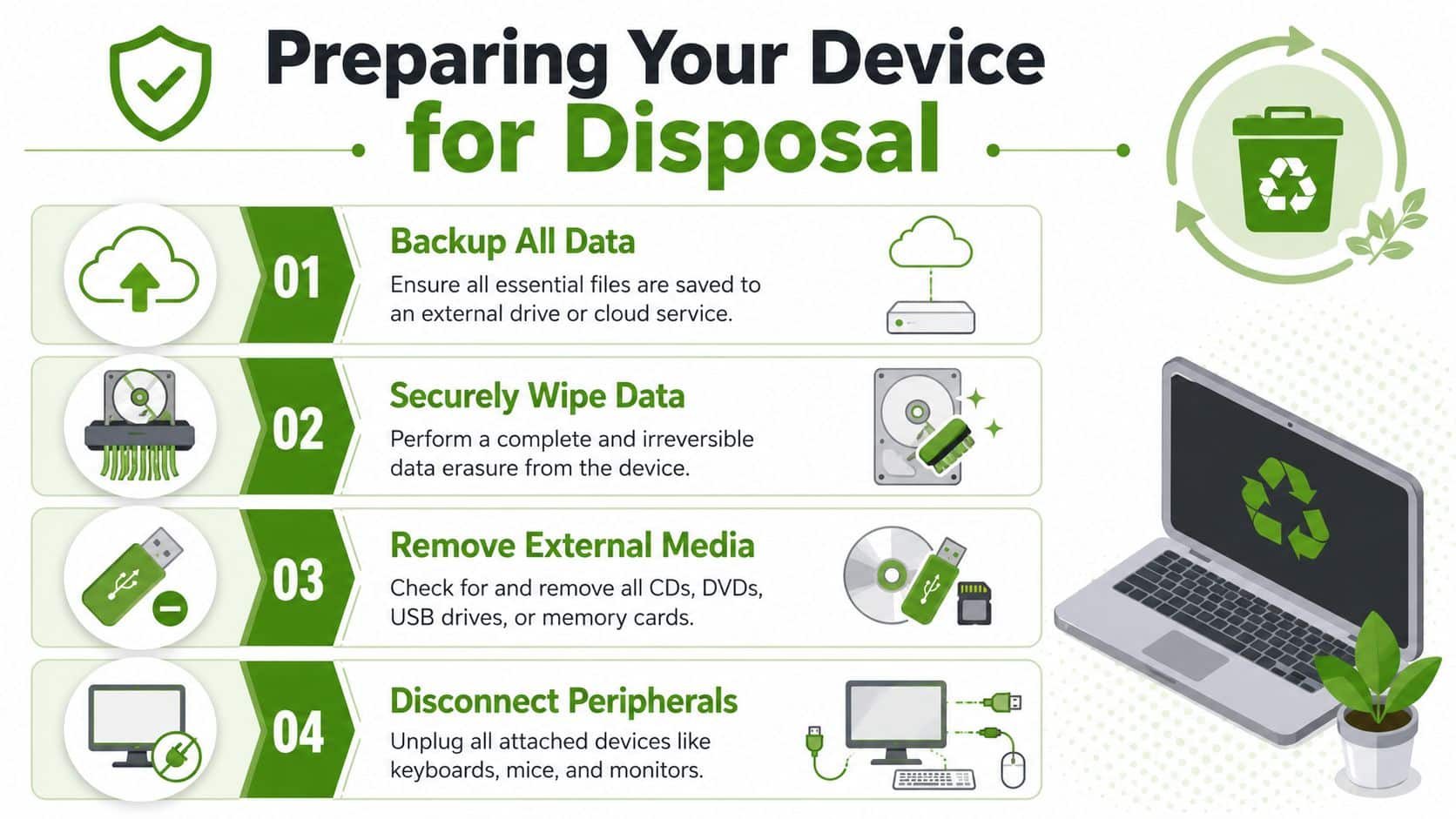
Back up what actually matters
Start by identifying what still lives on the machine. Don't assume you already moved everything. Old computers often contain scattered files in places people forget about, such as Downloads, Desktop, Documents, old email archives, browser bookmarks, accounting exports, and photo folders.
A clean backup checklist usually includes:
- Personal files like photos, tax records, PDFs, school documents, and scanned IDs
- Business material such as QuickBooks exports, spreadsheets, proposals, client folders, and local database files
- App-specific data including Outlook archives, browser bookmarks, password manager exports, and custom templates
If you need a practical starting point for storage media, this guide on choosing an external hard drive for backup helps people avoid grabbing the first drive they see on sale.
Deleting files is not wiping a drive
This is the point many disposal guides gloss over. “Delete everything” sounds fine, but it's not a serious data security process. Emptying the recycle bin, doing a quick format, or resetting an operating system without understanding the storage method can leave recoverable information behind.
That's why DIY wiping gets risky fast. The process differs depending on whether the computer uses a traditional hard drive or a solid-state drive. It also depends on whether you're trying to preserve the machine for donation or resale, or whether you aim for the strongest possible separation between your data and the hardware.
If you aren't sure what type of storage is inside the machine, don't guess and don't improvise with random online instructions.
A safer way to think about it is to choose one of these outcomes:
- Keep the computer usable by using a proper data sanitisation process and reinstalling the operating system
- Keep the data risk as low as possible by removing the drive before the computer goes anywhere
- Treat the machine as parts only if it's old, damaged, or not worth preparing for another user
Remove the forgotten extras
People often prep the main computer and miss the small things that travel with it. Check every port and bay.
Look for:
- USB devices that were left plugged in
- SD or microSD cards in laptops, cameras, or readers
- Optical discs still inside older towers or laptops
- Dongles and wireless receivers for mice or keyboards
Then disconnect anything attached externally, including printers, monitors, docking stations, speakers, webcams, and external drives. Those are separate items with their own disposal or reuse decision.
Handle batteries properly
Laptop disposal has one extra safety step. The City of Edmonton says batteries and e-waste can be dropped off at Eco Stations free of charge for residents, and it specifically warns that batteries should never go in the garbage because they can cause fires. If you can remove the laptop battery, take it separately to an Eco Station and tape the terminals first to prevent short circuits (City of Edmonton battery and e-waste guidance).
When a professional prep step makes sense
If the device held legal files, medical records, payroll data, customer information, or years of personal documents, this is not the place to be casual. The wiping step is where people usually want certainty, not guesswork.
For many Edmonton households and small offices, the most sensible approach is simple: have someone experienced verify the storage type, back up what needs saving, sanitise the device properly, and if needed remove the drive before you recycle the shell.
Choosing Your Disposal Path Recycle Donate or Sell
Once the data issue is handled, the next question is practical. What should you do with the machine?
The answer depends on age, condition, and whether the computer still has useful life left in it. A dead tower with missing parts belongs in recycling. A stable laptop with decent battery life might be worth donating. A newer machine with market value may be worth selling, but only after a careful wipe and reset.
Computer disposal options in Edmonton
| Option | Best For | Pros | Cons |
|---|---|---|---|
| Recycling | Broken, obsolete, incomplete, or very old computers | Responsible end-of-life handling, simple decision, good for machines with little value | No financial return, and data prep is still your job before drop-off |
| Donating | Working computers that are still usable for basic tasks | Extends the device's life, can help a community group or individual, keeps equipment in use longer | You need to confirm the device actually works well enough to be useful, and the wipe must be thorough |
| Selling | Newer computers with remaining resale value | You may recover some money, and a buyer may want a complete, functional machine | Requires the most effort, including testing, reset, account removal, and dealing with buyers |
When recycling is the right call
Recycling is usually the correct path when the computer is unreliable, physically damaged, unsupported, or too slow for practical use. If it can't hold a charge, has a failed motherboard, a broken hinge, missing keys, or a cracked display, don't overthink it.
Recycling also makes sense when your time matters more than squeezing a few dollars out of an old machine.
Donation only works if the machine is actually usable
A donated computer should be ready for someone else, not handed off as a future headache. That means it should boot properly, have a functioning keyboard and screen, and run basic tasks without obvious instability.
A machine that frustrates you will frustrate the next person too. Donation should transfer value, not transfer cleanup.
Before donating, check that all accounts are removed, the operating system is freshly set up, and there's no old profile data left behind.
Selling raises the bar
Selling is where sloppy preparation causes the most trouble. Buyers expect a computer that's clean, functional, and ready to use. If activation locks, account sign-ins, BIOS passwords, or management tools are still attached, the sale quickly turns into messages, returns, and distrust.
Choose selling only if you're prepared to do the following well:
- Test the basics such as charging, Wi-Fi, keyboard, webcam, and storage health
- Reset the machine properly so the next owner starts fresh
- Be honest about flaws including cosmetic damage, weak batteries, or replaced parts
For many people, computer disposal in Edmonton is easiest when the decision tree is blunt. If it's broken, recycle it. If it's solid and useful, consider donation. If it's newer and in good condition, selling may be worth the effort.
Edmonton's E-Waste Ecosystem Where to Take Your Computer
A safe wipe at home does not help much if the machine then sits for two weeks in a garage, gets handed to the wrong drop-off point, or goes out with a stack of loose accessories and an old drive still inside. The handoff matters too.
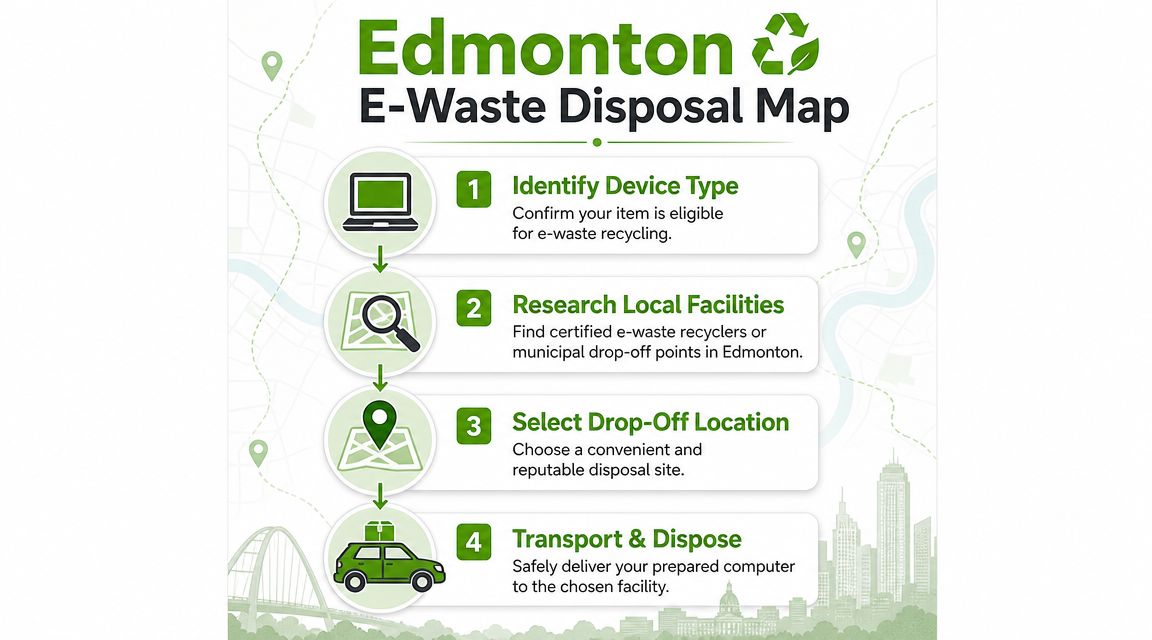
For Edmonton households, the city gives you a few practical routes. Community Recycling Depots and Eco Stations are the usual options for residential electronics, while the Edmonton Waste Management Centre is the place people often hear about when they are dealing with larger loads or commercial material. A local summary of those options is outlined in this Edmonton electronics recycling overview.
The part many people miss is simple. Residential and commercial streams are handled differently, so showing up at the wrong facility wastes time and can leave old equipment sitting in your vehicle longer than necessary. If a computer still contains a drive you are worried about, shorter chain of custody is better.
A good home drop-off run usually looks like this:
- Keep the computer and its storage together until you are ready to leave
- Remove loose media such as USB drives, SD cards, and backup disks
- Separate batteries if the drop-off instructions require it
- Bring proof of Edmonton residency for residential sites
- Label anything that should not be recycled with the computer, such as a docking station you still use
Processor standards matter on the back end too, even if you never see that part of the system. As noted earlier, Alberta's electronics program covers a wide range of accepted devices and uses approved processors for handling them. For a homeowner, the practical takeaway is to sort first. Computers, monitors, printers, and accessories do not always follow the same fee or acceptance rules, especially once larger screens enter the pile.
If you are unsure whether a machine should be repaired, wiped again, stripped for the drive, or sent out intact, book an on-site computer service in Edmonton before you load the car. That is often the point where Nerds 2 You saves people from the two mistakes I see most often: recycling a recoverable device too early, or dropping off a machine before the data risk has been dealt with.
For readers comparing local service businesses online, OneNine's local SEO guide explains why some companies are easier to find than others. Visibility is helpful. Verified handling steps matter more when the job involves old drives, saved passwords, and tax files.
The easiest trip is the one you stage properly at home, then complete right away. No extra stops, no mystery cords, no forgotten backup drive in the laptop bag.
The Business Side of Computer Disposal
A business computer disposal job in Edmonton can go wrong long before anything reaches a recycler. The common failure point is the storage inside the device. An office closes a project, stacks retired laptops in a storage room, and assumes the cleanup can wait until someone has time. During that gap, those machines may still hold payroll records, saved browser sessions, client files, and email archives.
For companies, disposal is part operations, part security, and part documentation. Residential drop-off habits do not translate well to business equipment, especially when devices are retired in batches and pass through several hands before final handoff.
The businesses that handle this well usually control four things early:
- A clear inventory of every desktop, laptop, monitor, and accessory leaving service
- A chain of custody so devices are not left accessible in an open office or shared storage area
- A decision on each drive, whether it will be securely erased, removed, or physically destroyed
- A record of what was done, in case questions come up later from management, staff, or clients
That third point is where DIY plans often break down. A reset is not always a real sanitisation step. Older hard drives, newer SSDs, encrypted machines, and damaged systems all need different handling. I have seen businesses assume an operating system reinstall solved the problem, only to learn later that recoverable data was still on the drive. That is why disposal prep should be treated as a technical task, not an admin errand.
Costs matter too, but the recycling fee is rarely the expensive part. Staff time, sorting mistakes, missed backups, and preventable data exposure usually cost more than the drop-off itself. If one employee spends half a day guessing which machines are safe to release, the business is already paying for a weak process.
A practical approach is to separate the job into two stages. First, secure the data on-site while the devices are still under company control. Then send the cleared hardware through the correct commercial channel. Businesses that want help with that first stage can start by reviewing what on-site computer repair includes, especially if the office has a mix of working, locked, and failed machines.
Disposal also affects reputation in a less obvious way. Clients may never see the recycling run, but they do notice when a company handles old technology carelessly. If you are thinking about how trust shows up online as well as offline, OneNine's local SEO guide gives useful context on how day-to-day operational habits shape local perception.
How Nerds 2 You Provides On-Site Peace of Mind
The hard part of computer disposal in Edmonton isn't finding a drop-off point. It's being confident the data is gone before the computer leaves your possession.
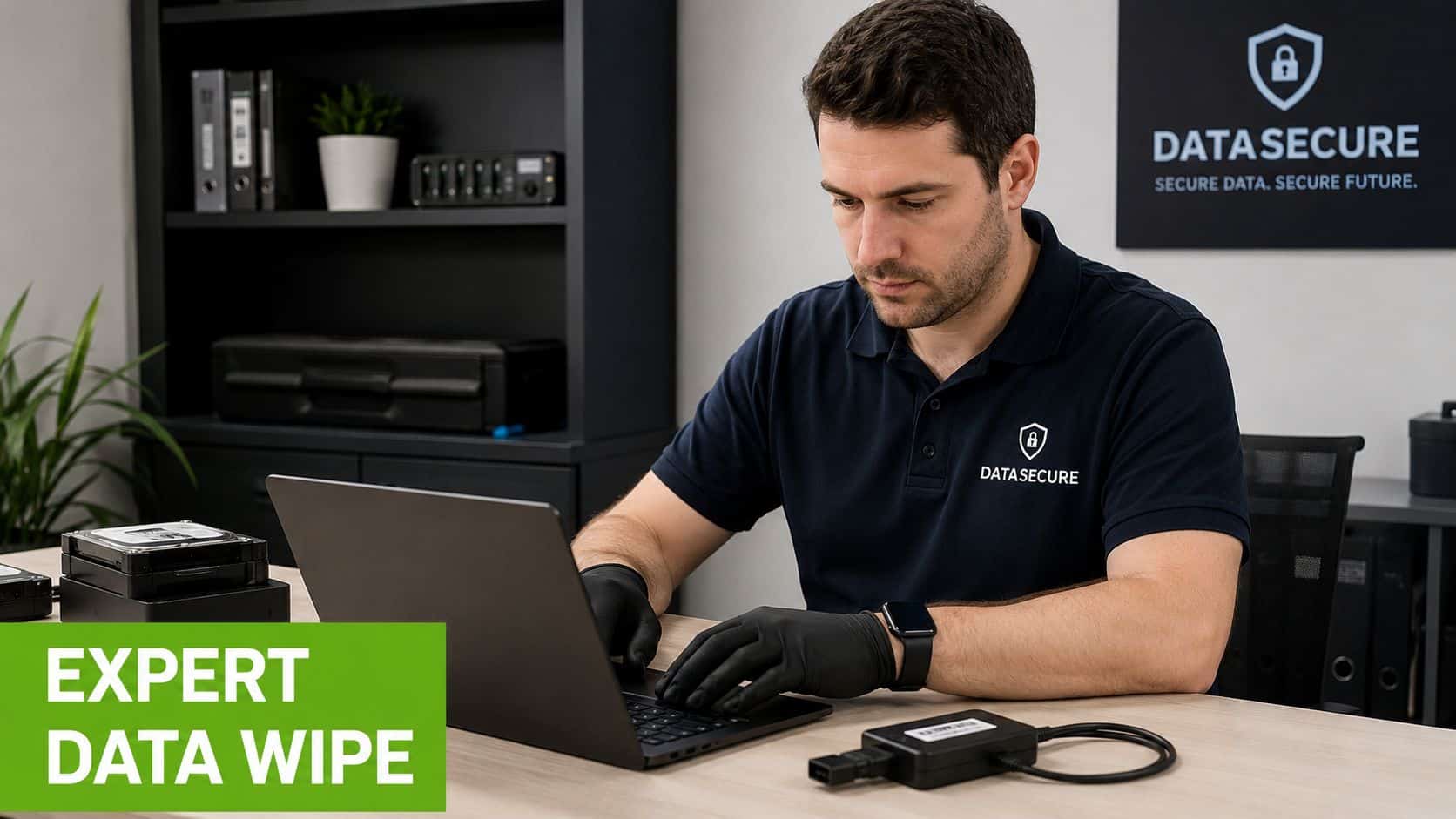
Nerds 2 You Edmonton can assist with computer disposal needs. The company does not dispose of computers for clients, and it doesn't offer remote service for this kind of work. What it can do is handle the important preparation step on-site at your home or office so the machine is ready for safe recycling, donation, or sale.
That can include helping you identify what needs to be backed up, checking whether the computer uses an HDD or SSD, sanitising storage, and removing the drive when that's the more sensible option. For some clients, the biggest benefit is having someone experienced there in person to verify that nothing important is being left behind and nothing sensitive is leaving with the hardware.
Why on-site matters for this job
For disposal prep, on-site support removes a lot of uncertainty. You don't have to pack up a data-bearing device and transport it somewhere just to find out what's on it. The technician can work where the machine already is, where your backup destination is, and where any related accessories are still nearby.
If you want a clearer sense of what local in-person help looks like, this overview of what on-site computer repair includes gives useful context.
Some jobs are repair jobs. Some are retirement jobs. The common point is control over the data before the hardware changes hands.
Frequently Asked Questions About Computer Disposal
Can I throw an old computer in the garbage
No. Computers and related electronics should go through the proper e-waste stream, not household garbage.
Is deleting my files enough before recycling
No. Deleting files only changes what the system shows you. It doesn't automatically make the stored data inaccessible in a secure way.
What should I do with an old laptop battery
If the battery is removable, separate it from the laptop and follow Edmonton's battery handling rules. Tape the terminals and take it through the approved collection stream rather than putting it in the trash.
Can I recycle printers, monitors, and accessories too
Yes, but sort them first. Computers, printers, scanners, and related peripherals are accepted under Alberta's electronics program, and monitor fees may apply depending on screen size, as covered earlier.
Should I smash the hard drive myself
Physical damage done at home can feel decisive, but it often creates more uncertainty than people expect. If your goal is confidence, use a proper sanitisation or removal process instead of improvised destruction.
What should a small business do before a larger hardware refresh
Start with an inventory. Identify every computer, monitor, docking station, and data-bearing device being retired. Then decide what will be reused, what needs backup, what must be wiped, and which commercial disposal channel will receive the hardware.
What if I'm not sure whether the computer is worth repairing or disposing of
Have it assessed first. A slow computer may still be useful after storage, memory, or software issues are addressed. A failing machine with little practical value is usually a better disposal candidate.
If you've got an old desktop, laptop, or office computer and the main concern is making sure your data is no longer on it, Nerds 2 You Edmonton can help with the on-site preparation step before you take the hardware to the proper recycling channel. That gives you a safer handoff and a lot less guesswork.
Contact Nerds 2 You for quality professional service
Experience the difference with our dedicated team of experts ready to assist you. Whether you need immediate support or have questions about our services, we are here to help. Reach out today and let us provide you with the reliable service you deserve. Your satisfaction is our priority and we guarantee a prompt response to all inquiries.
Discover more from Nerds 2 You
Subscribe to get the latest posts sent to your email.